So I got tired of starting up a dedicated tmux session to manage all the work related to my writing sessions. Over the past few months, I’ve boiled it down to three.
And it still irks me that I have to …
- Launch Terminal
- Launch Tmux
- Split it into three windows err … panes.
- Go to the top left pane and launch Hugo server
- Switch to the right pane and then launch Emacs with whatever new post I want to write today.
So of course, a Rube Goldberg-esque, tiny bash-pipey monster took form.
It now resides, chained to an alias, hssx1 in my .bash_aliases file
| |
- The first line switches to my hugo folder
- The second calls
xdotooland maximises the terminal window - And the last line is a series of instructions to the tmux command. I’ve split it below for readability.
tmux new-session \; #Tmux start a new session
split-window -h \; # Split the window into two vertical panes
select-pane -l \; # Switch to the left pane
split-window -v \; # Split that into two horizontal panes
select-pane -U \; # Select the upper pane
send-keys "hugo serve" C-m \; # Type in `hugo serve` followed by Enter
select-pane -R # Select the right pane
And boom!
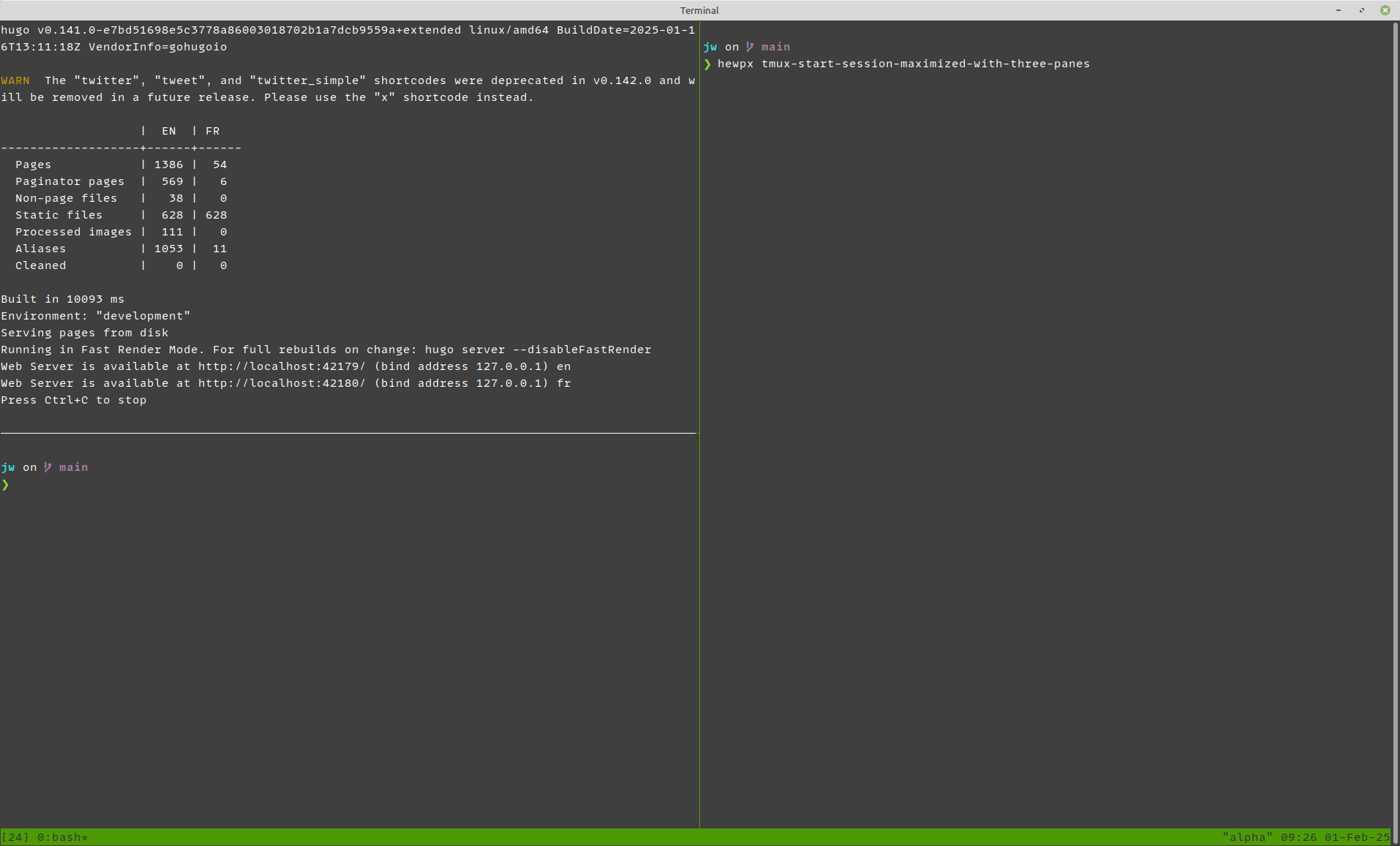
Click pic for a larger version
Feedback on this post?
Mail me at feedback at this domain or [continue the discourse here][3].
P.S. Subscribe to my mailing list!
Forward these posts and letters to your friends and get them to subscribe!
P.P.S. Feed my insatiable reading habit.
hugo start sessionand x just because all my aliases have ended with x for years and years ↩︎